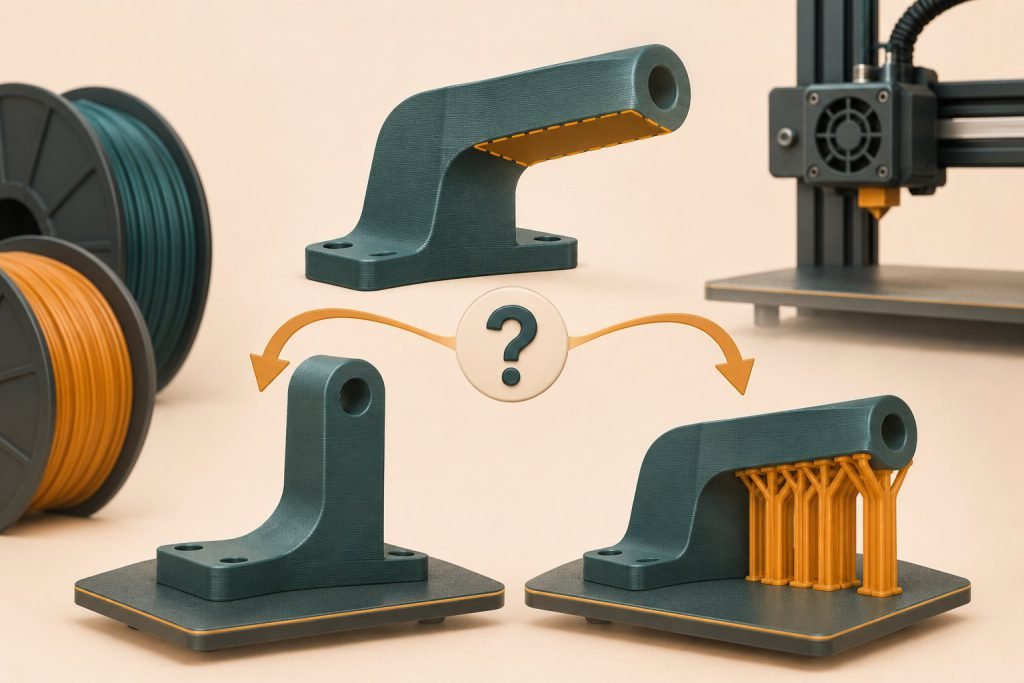
Try rotating the model before accepting a large support structure. The best orientation balances what must look good, what must fit and where support can actually be removed.
Give each face a job
- Display face: keep avoidable contact marks away from it.
- Mating face: preserve the dimension and surface that must fit another part.
- Base: provide a practical contact area on the build plate.
- Hidden cavity: leave access for removing support.
| Candidate | Question to answer |
|---|---|
| Broad face down | Is that face allowed to take the build-plate finish? |
| Tall and narrow | Is bed contact adequate, and is the part stable throughout printing? |
| Angled | Does it reduce a critical overhang or merely spread support onto more faces? |
| Split into parts | Is an assembly seam acceptable for the function? |
In PrusaSlicer’s support controls, build-plate-only support changes where supports may originate. It does not guarantee that every overhang becomes supported. Inspect the resulting toolpaths.
The lowest support estimate looks best
Check the finished function before selecting it. Lower waste is useful only if the orientation also preserves the important surfaces and a suitable layer direction. Keep the comparison about the part, not only grams.
Make one preview your decision record
Save the chosen orientation with supports visible and inspect the difficult layer transitions. If a short span can be printed without support, use the bridging guide to assess that separate case. Otherwise plan removal access now, while changing the model is still easy.