
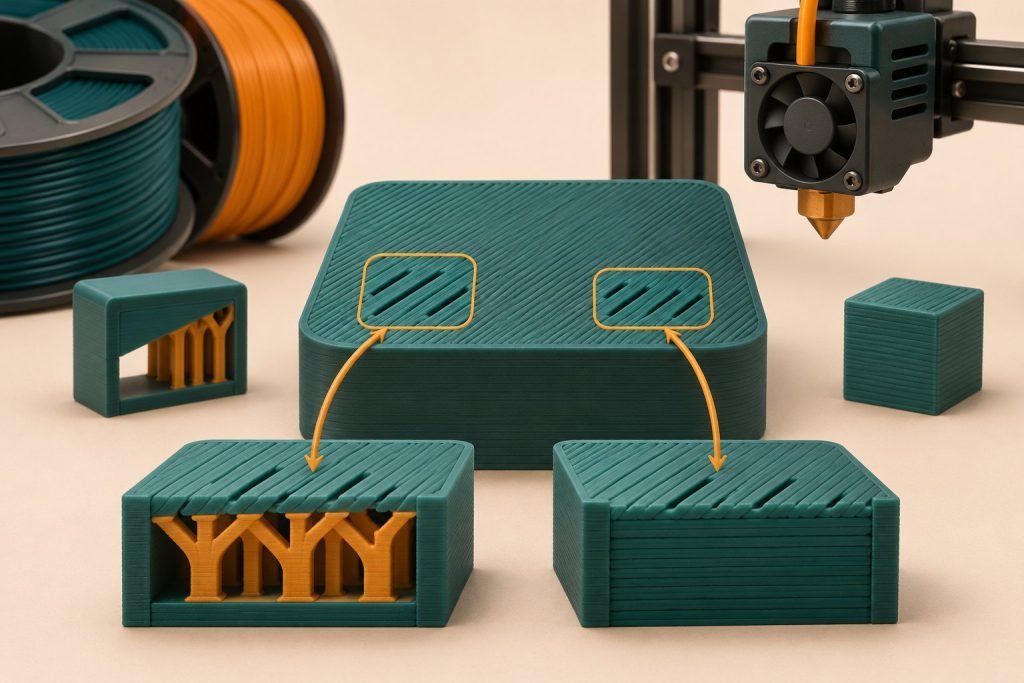
A rough, open roof over otherwise sound walls calls for a different check than missing material throughout the print. Find out whether the trouble begins when the slicer starts bridging across the infill.
Choose the matching symptom
Walls look sound; only the roof has holes
Inspect the first solid top layer in preview. Look at the distance it must span and the total thickness of solid material above it. Compare a version with more support beneath the roof or greater top thickness.
Walls and infill are also incomplete
Investigate inconsistent extrusion first. Adding top layers may hide part of the symptom while the feed problem remains. Use the clog-or-feed checks before increasing the extrusion multiplier.
The roof is closed but the finish is uneven
Separate closure from cosmetic finish. Check for excess material and the existing surface settings; do not keep adding layers to solve every visible mark.
Prusa’s top-layer documentation describes the first roof lines as bridges over infill. It also explains why the same layer count gives a thinner roof when layer height is reduced.
| Illustrative setting | Total thickness |
|---|---|
| 4 layers × 0.20 mm | 0.80 mm |
| 4 layers × 0.10 mm | 0.40 mm |
These are arithmetic examples, not recommended universal settings. Variable layer height needs particular attention in preview.
Keep the next experiment small
Print a cropped section containing the same unsupported roof span. Change one cause at a time and keep the material profile fixed. Once the surface closes reliably, consider ironing only as a finishing choice—not as a repair for an open roof.


