Layer & BenchMATERIALS. TOOLS. BETTER PRINTS.
⇄ Compare products
DryingStoragePLA & PLA+PETGBuild platesNozzlesTPUNylonABS & ASA
ReviewsBuying guidesLearnComparisonsSaved ♡

Creality Space Pi vs SUNLU S2: choose around the printer station

Loading access and the route to your printer can be more useful tiebreakers than preset counts.

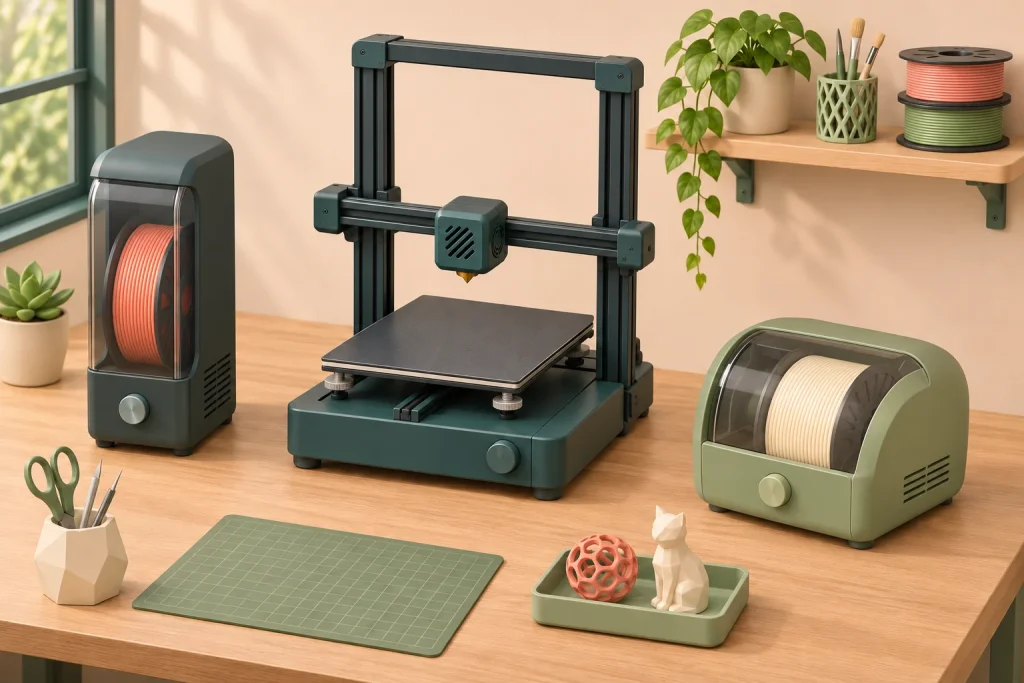
Illustration of two alternative single-spool dryer placements beside a 3D printer.
The line-up

Compare the setups

Select a product to explore its fit and specifications.

Filament dryer

Creality Space Pi

External spool role
Check current price ↗ · Amazon View details ↓
Filament dryer

SUNLU FilaDryer S2

Compact preparation
Check current price ↗ · Amazon View details ↓

Choose between original Space Pi and fan-equipped S2 at the printer station. Both hold one roll and reach a published maximum of 70°C. The more useful comparison is whether you can repeatedly load, thread and operate the unit in the available space.

Sketch the route before comparing presets

  1. Mark the loading space. Include the Space Pi lid opening and room to lift the roll out.
  2. Trace the filament. Consider access to the Space Pi threading point and whether the S2 outlet route creates tension or pulls the enclosure.
  3. Mark the operator’s position. Check that the screen and controls are usable without moving the dryer.

Successful external-feed experiences and contrary threading or friction reports can both be true because the station arrangements differ. One printer-specific success does not establish universal compatibility.

When S2’s lower minimum matters

S2’s documented range begins at 35°C; original Space Pi begins at 45°C. If the exact material procedure needs a setting below Space Pi’s range, that can eliminate it. If the required cycle is within both ranges, the lower minimum is not a reason by itself to call S2 better.

Use the drying preparation check to establish that requirement before purchase. This comparison excludes Space Pi V2 and Plus, and does not treat historical fanless S2 accounts as tests of the fan-equipped specification.

If neither route works: decide whether a separate preparation position and a transfer afterward suit your routine. Another material preset will not fix inaccessible loading or an awkward feed path.

The linked product evidence is observational. It does not establish a speed or durability winner when both models otherwise meet the setup requirements.
Filament dryerExternal spool role
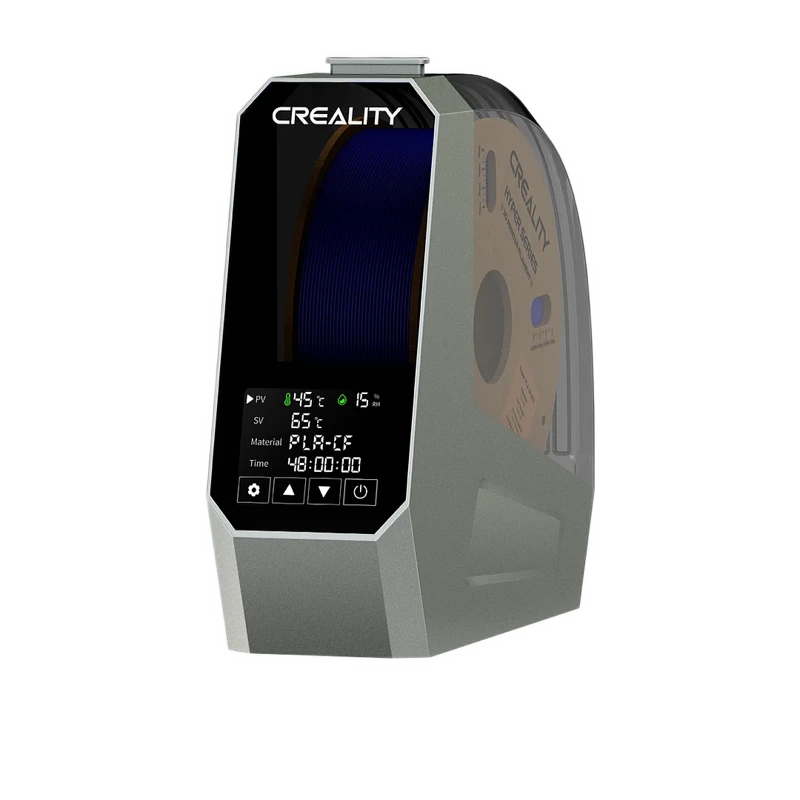
Product image: Creality Space Pi↗
Product image

Creality Space Pi

The Space Pi is attractive when it can become a permanent external spool station. Successful K1C and P2S accounts support considering that arrangement, but they are not universal fit certificates. Loading clearance and viewing angle deserve a physical check.

Capacity
One spool
Heat control
45–70°C; 1–48 hour timing
Filament feed
Supported; check outlet alignment

Setup notes

  • Original single-spool Space Pi; excludes Plus and V2
  • One spool
  • 45–70°C; 1–48 hour timing

✓ Best if

  • You can position the original Space Pi with an accessible lid and smooth route to the printer.

− Skip if

  • Threading access is restricted in your intended shelf location.
SpecificationsDrying & feedingExplore+
Product typeStandalone filament dryer
Reviewed configurationOriginal single-spool Space Pi; excludes Plus and V2
Drying capacityOne spool
Heat control45–70°C; 1–48 hour timing
Printing from the dryerSupported; check outlet alignment
Humidity behaviorChamber humidity display
Fit and measurement basisExact dimensional spool envelope not verified
Read the full review →
Check current price ↗ · Amazon
Filament dryerCompact preparation
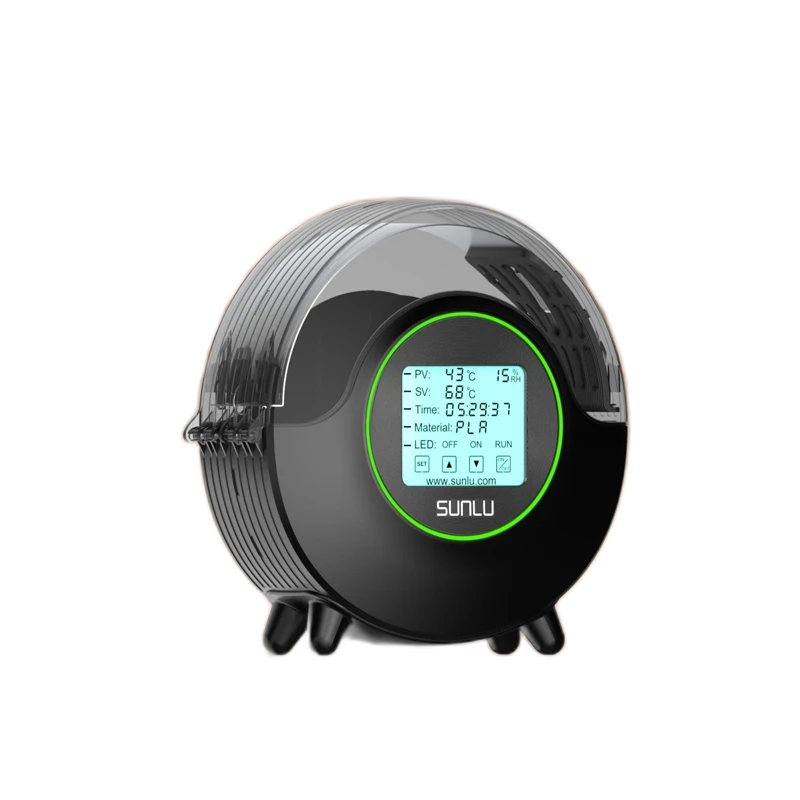
Product image: SUNLU FilaDryer S2↗
Product image

SUNLU FilaDryer S2

The S2 is a reasonable alternative when preparing one roll is the main task and its controls suit you. If direct feeding creates tension, its usefulness as a preparation device can remain even though it is not the right permanent spool holder.

Capacity
Single spool within the stated fit envelope
Heat control
35–70°C setpoint range
Filament feed
Supported; check the actual filament route

Setup notes

  • One-spool enclosure with a manufacturer-stated fit envelope.
  • Adjustable drying temperature and material presets.
  • Fan-equipped current configuration with temperature, time and humidity display.

✓ Best if

  • You value compact one-roll preparation and can confirm the current fan-equipped version.

− Skip if

  • You cannot accommodate outlet friction or a lightweight enclosure moving under tension.
SpecificationsDrying & feedingExplore+
Product typeStandalone filament dryer
Reviewed configurationS2 with circulating fan; historical owner revisions separated
Drying capacitySingle spool within the stated fit envelope
Heat control35–70°C setpoint range
Printing from the dryerSupported; check the actual filament route
Humidity behaviorHumidity display; automatic RH-triggered cycling not verified
Fit and measurement basisMaximum φ210 × 85 mm, as specified by SUNLU
Read the full review →
Check current price ↗ · Amazon

Product Comparison

Feature Creality Space Pi SUNLU FilaDryer S2
Product Image
Creality Space Pi
SUNLU FilaDryer S2
Category Filament Dryers Filament Dryers
Product type Standalone filament dryer Standalone filament dryer
Reviewed configuration Original single-spool Space Pi; excludes Plus and V2 S2 with circulating fan; historical owner revisions separated
Drying capacity One spool Single spool within the stated fit envelope
Heat control 45–70°C; 1–48 hour timing 35–70°C setpoint range
Printing from the dryer Supported; check outlet alignment Supported; check the actual filament route
Humidity behavior Chamber humidity display Humidity display; automatic RH-triggered cycling not verified
Fit and measurement basis Exact dimensional spool envelope not verified Maximum φ210 × 85 mm, as specified by SUNLU
Details / retailer Check current price · Amazon Check current price · Amazon

Let the station layout break the tie

Choose the unit you can load, thread and operate in its permanent position. If both fit, the available research does not establish a speed or durability winner.

Walk through the next spool change.

Space Pi’s lid and front outlet are accessible

It can suit a regular external spool position. Check the screen from where you work, not only straight in front. Return to Space Pi.

S2’s range and route fit better

Confirm the fan-equipped revision and that the outlet does not pull the enclosure. Return to S2.

Neither is comfortable to load or thread

Change the station arrangement or consider a separate preparation position. More presets will not fix access.

Frequently Asked Questions

Is this a comparison with Space Pi V2?

No. The original single-spool Space Pi is the documented model here. V2 and Plus require their own identity and evidence checks.

×
Layer & Bench

Find the right materials and gear
for better 3D prints.

A RESEARCH-BASED PRINTING RESOURCE

Explore

DryingStoragePLA & PLA+PETGBuild platesNozzlesTPUNylonABS & ASA

Make a decision

Product reviewsBuying guidesModel comparisonsPractical guides

Behind the articles

Our approachEditorial disclosureContact & correctionsPrivacy
© Layer & Bench

As an Amazon Associate I earn from qualifying purchases.

Compare your shortlist ↗