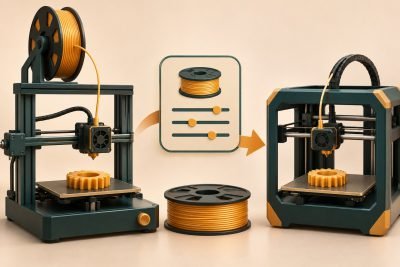
An enclosure for ABS or ASA is more than a box that retains heat. Check whether the printer is approved for the intended environment and how the setup manages emissions without creating disruptive drafts around the print.
Prusa’s ASA instructions discuss warping, ventilation and the risk of deforming printer parts in an unsuitable enclosure environment. Do not treat a closed door as a complete printing or air-quality solution.
Plan the whole station
- Printer limits: enclosure approval, temperature limits and placement requirements.
- Material: exact ABS or ASA profile and supplier handling guidance.
- Air management: the enclosure maker’s documented ventilation or filtration arrangement.
- Access: loading, removal, inspection and emergency controls remain reachable.
- Feed route: spool and tubing stay clear of moving and hot components.
Separate the warm zone from the room plan
Inside: stable printing space
Leave the bed’s full travel, hotend movement and filament route unobstructed. The enclosure limits drafts around the print; it is not a reason to exceed the printer’s rated environment.
Outside: access and air management
Keep controls and the power disconnect reachable. Plan room ventilation and any manufacturer-supported extraction or filtration separately from the walls that hold heat around the model.
Documented layout example: Prusa’s MK3/S/+ enclosure guide specifies placing the PSU outside its Plexiglas IKEA Lack arrangement because the internal temperature can exceed that PSU’s operating conditions. That is a requirement for the named setup, not a blanket instruction to relocate wiring on another printer.
| Zone | Mark before installation |
|---|---|
| Printer envelope | Full bed/toolhead travel and door swing |
| Service access | Spool changes, maintenance access and disconnect |
| Temperature-sensitive equipment | Location required by the exact assembly guide |
| Air route | The approved air-management arrangement, without a draft across the print |
An odor reduction is not a measurement of complete emissions removal. Choose the documented equipment arrangement first, then evaluate a small print for adhesion and distortion.
Can I add a heater to a passive enclosure?
Only use a heating arrangement designed and approved for the equipment. Raising chamber temperature changes the operating conditions of electronics, plastics and wiring. This guide does not provide an improvised heater design.
Does a filter eliminate the need for ventilation planning?
Use the exact system’s documented capability and maintenance instructions. Do not infer complete emissions removal from an enclosure’s appearance or a generic filter label.
Before buying a spool for the new setup, the Polymaker ASA review shows how preparation and warping concerns affect that particular material’s purchase decision. It is a filament assessment, not an enclosure or emissions-control certification.
Start with a modest print
Check the documented operating conditions and inspect adhesion and distortion on a representative sample. If corners lift, diagnose the process with the warping guide instead of continually raising temperatures. Select the station for the material you actually intend to use.